For plumbers and heating engineers who work for themselves
See who owes you before you pay for the next job's parts.
A spreadsheet for self-employed plumbers and heating engineers that prices a job, makes the invoice and shows who owes you. £24 once.
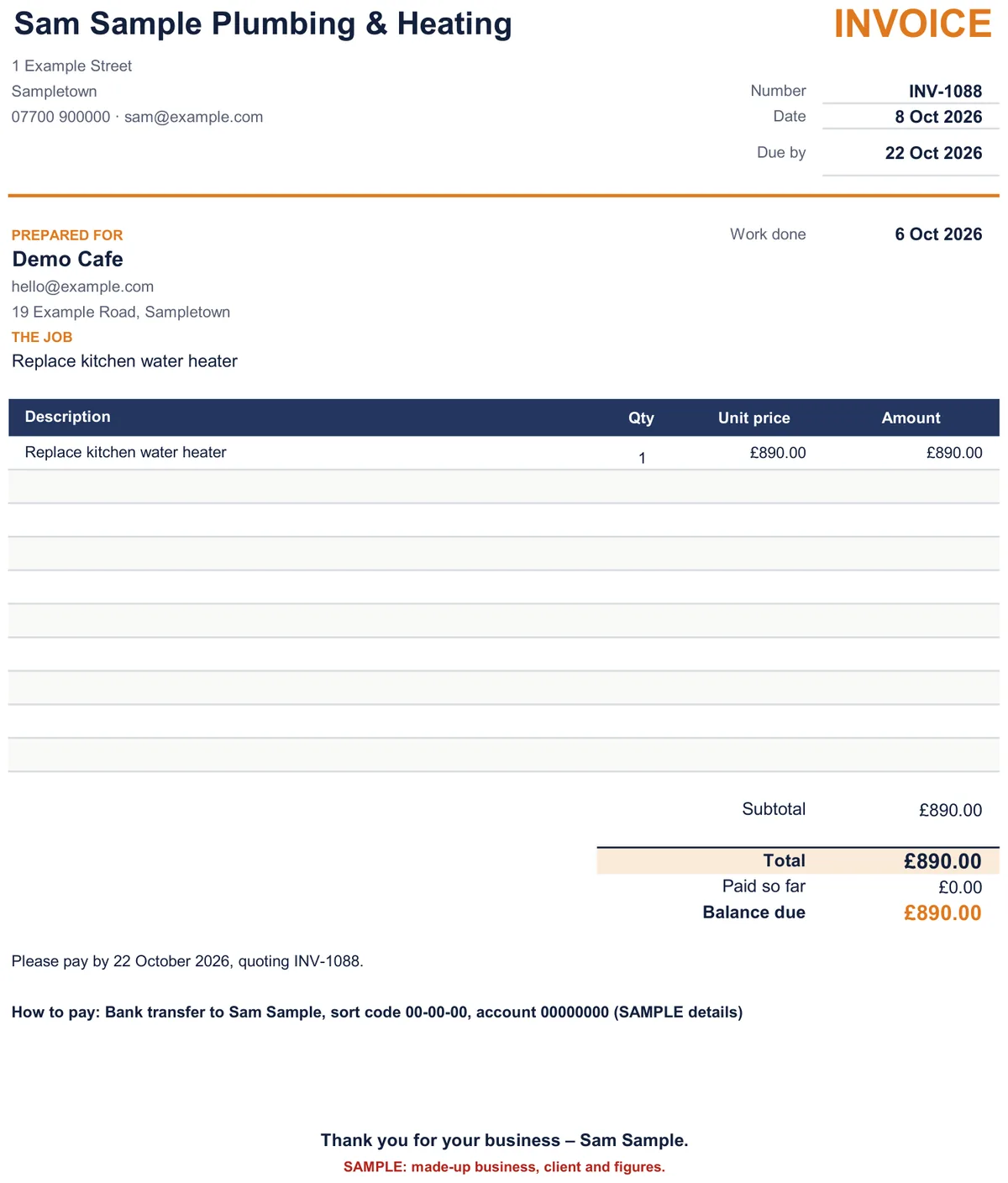
Made-up sample business
Opens Payhip's secure checkout
£24. Pay once, no monthly fee. You need your own Microsoft 365 Excel on Windows. Charged in pounds (GBP); if you pay in another currency, your bank converts it.
14-day no-questions refund · how refunds work
- Excel on Windows
- UK and International editions
- No macros
- Quick-start guide
For you if
- you're a self-employed plumber or heating engineer. The sample and wording are for plumbing. Other one-person trades can use it, but it wasn't written for them.
- you're not sure your prices cover your costs and your pay
- you lose track of who has paid, and of what's yours once tax is put aside
Not for you if
- you need gas certificates or service records (the kit doesn't do these)
- you need Making Tax Digital filing (sending figures to HMRC) or a bank feed
- you want to make quotes on your phone on site. This is for a laptop or PC.
- you only use Excel for Mac or Excel older than Microsoft 365 (not tested yet)
- you need CIS deductions, reverse-charge VAT or the VAT Flat Rate Scheme worked out (the kit doesn't do these)
What's inside
12 tabs in one workbook. Only type in the yellow boxes.
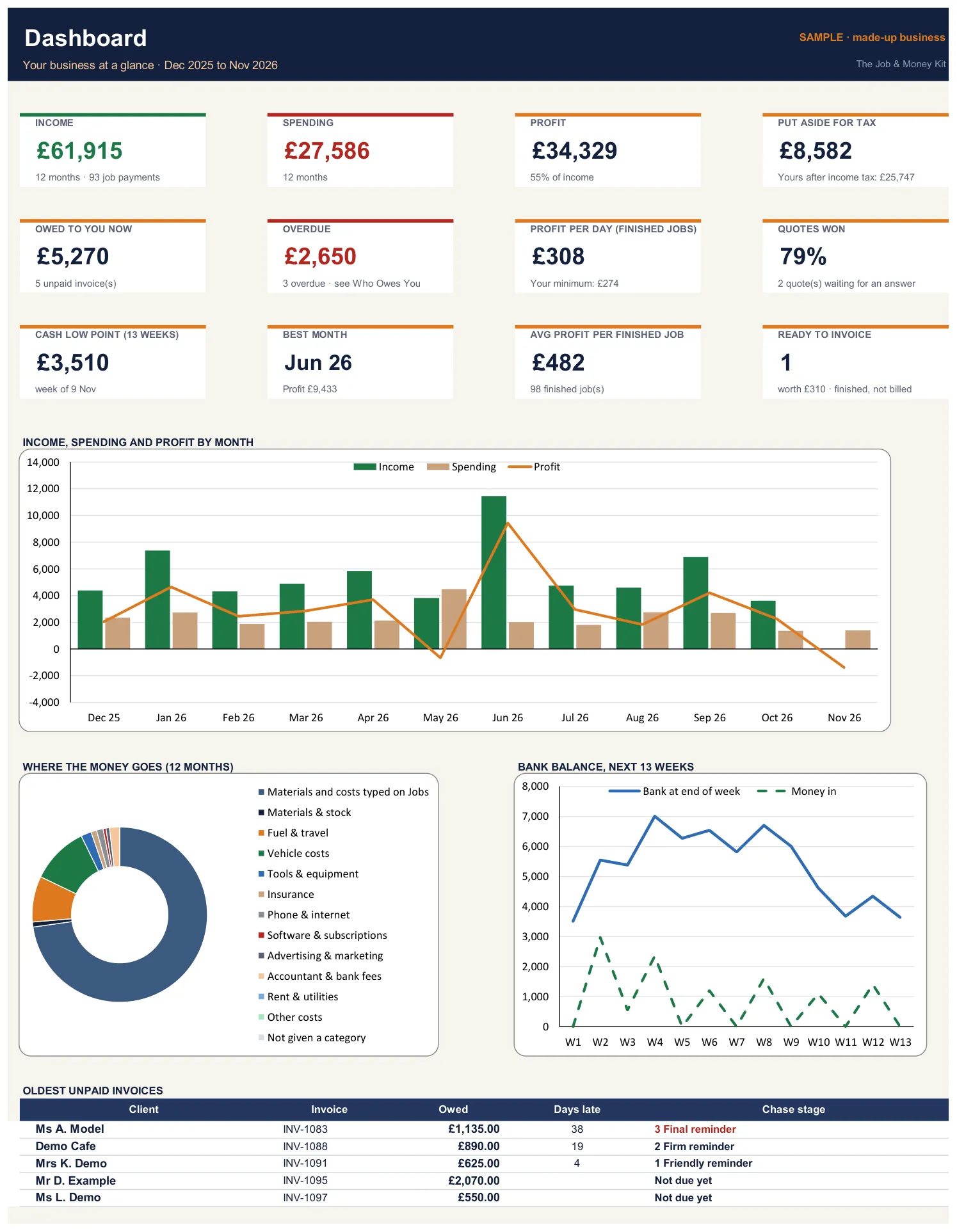
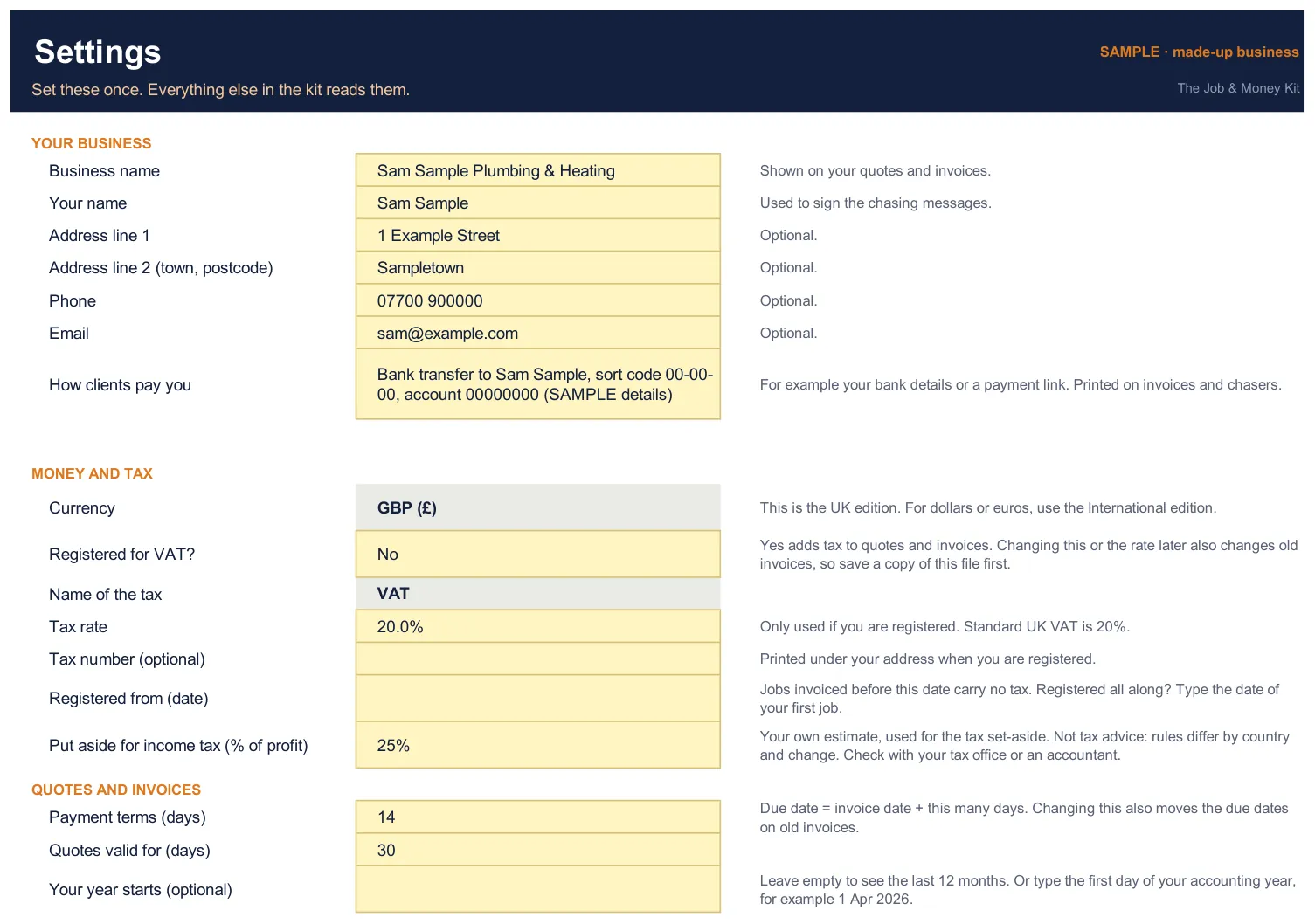
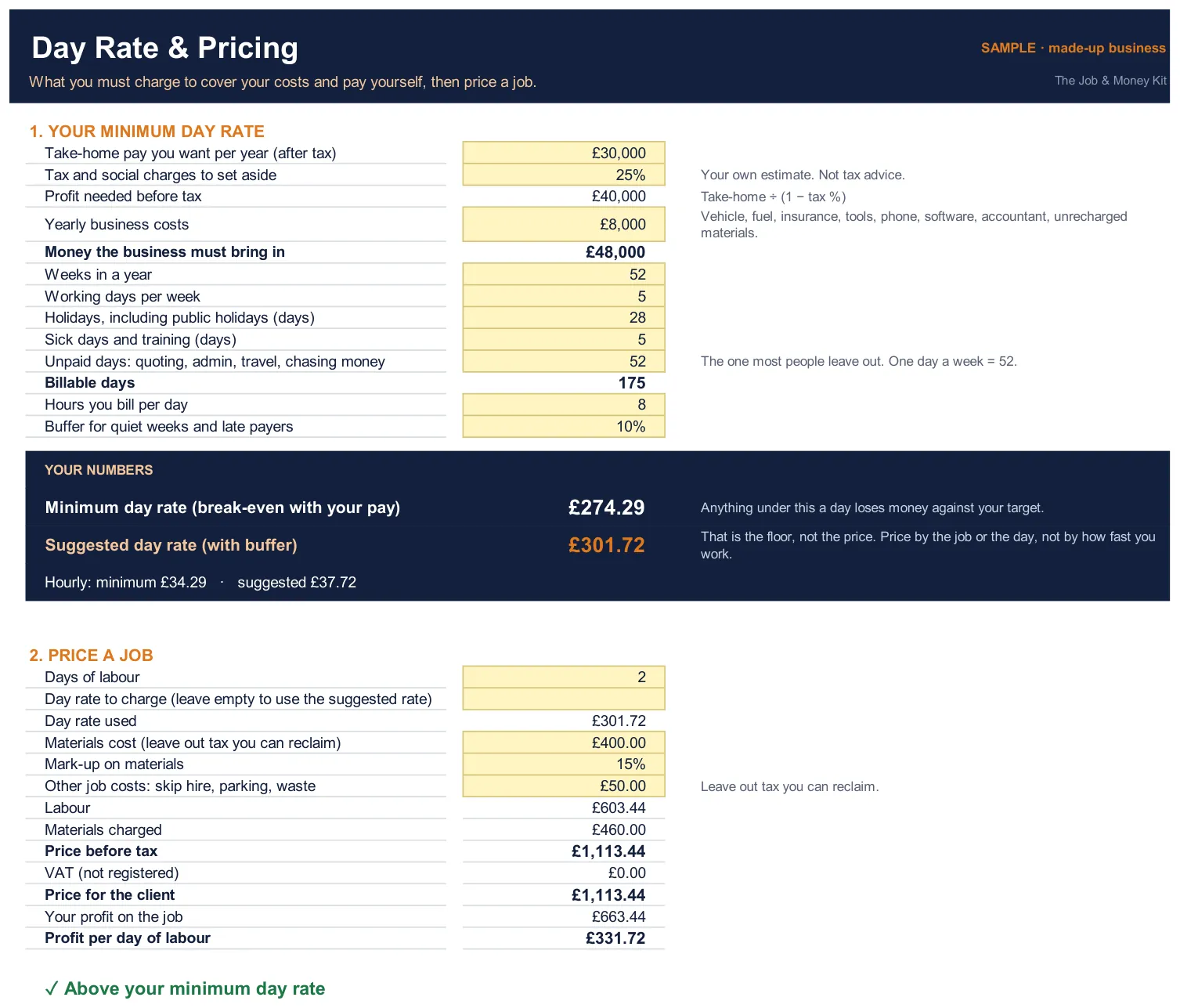
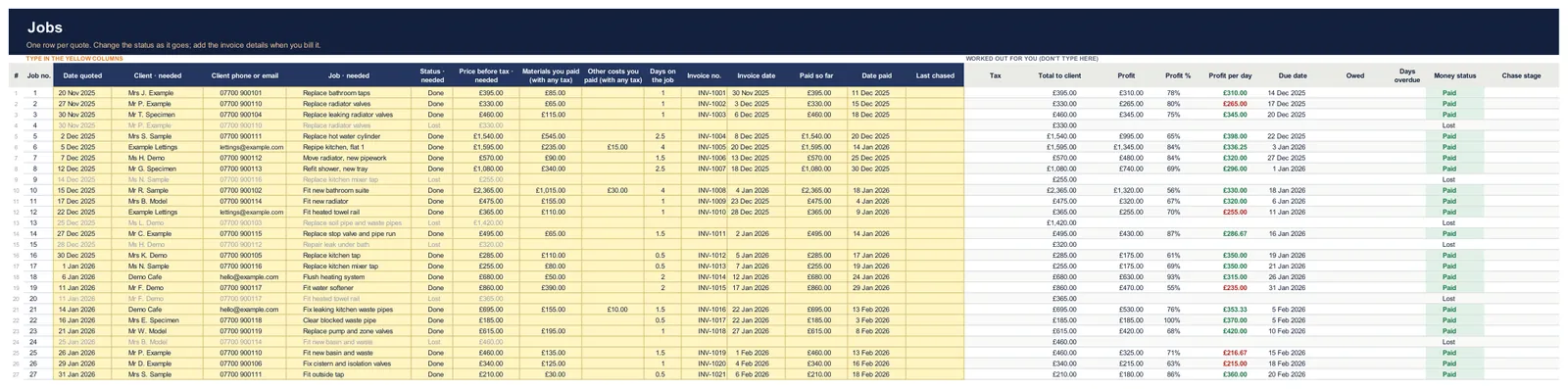
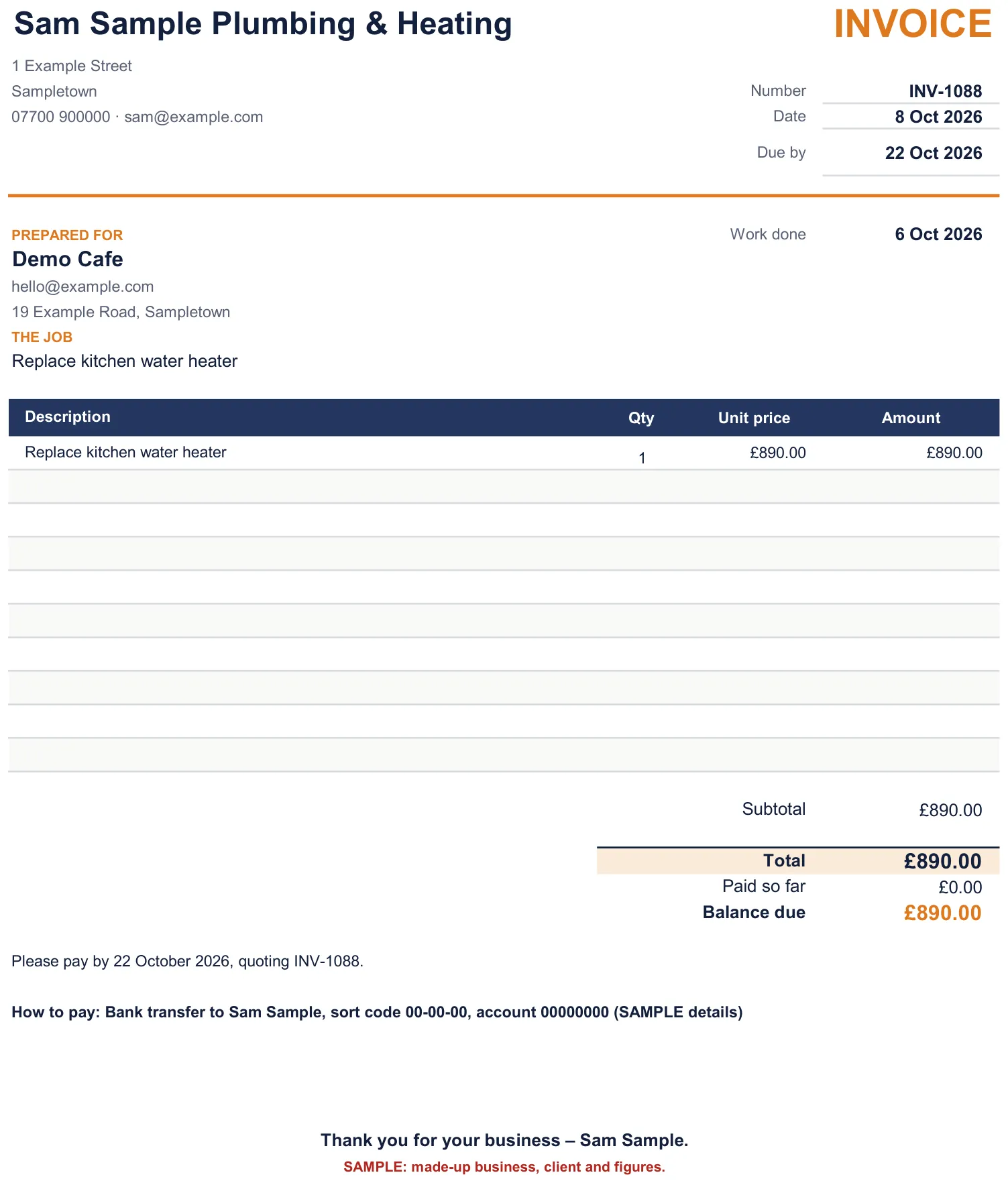
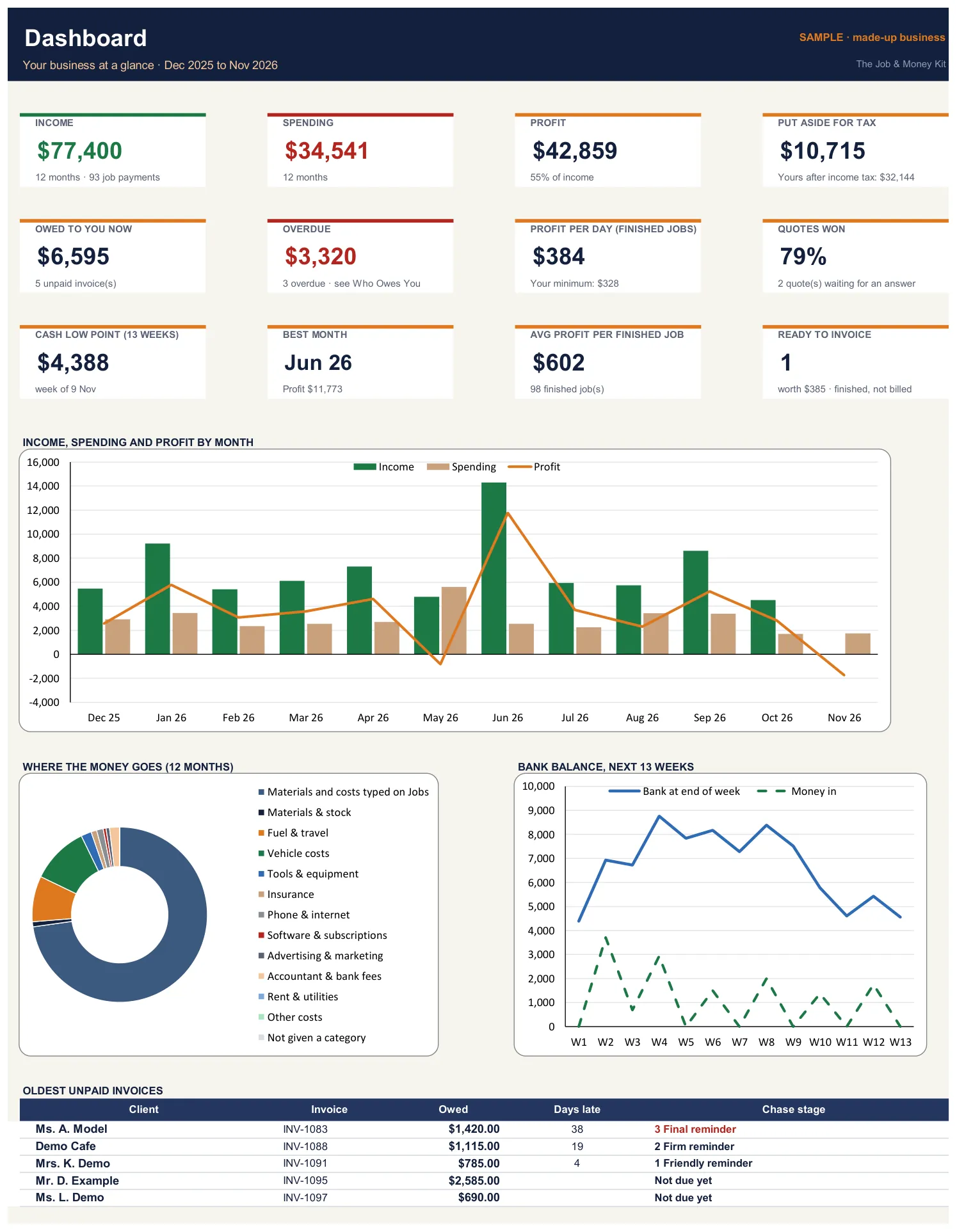
Real screenshots of the SAMPLE file: a made-up plumbing and heating business with made-up figures, so you can see every tab working before you add your own. Tap any picture to see it full size.
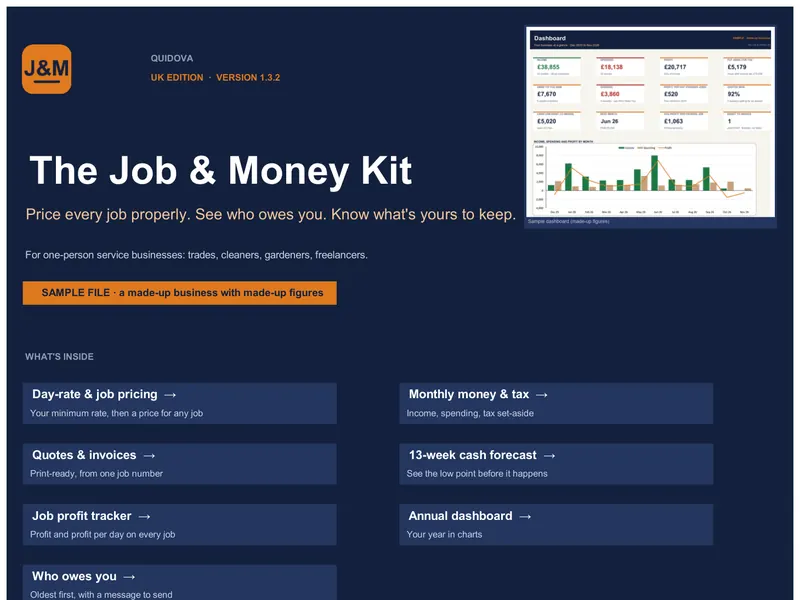 Tab 1
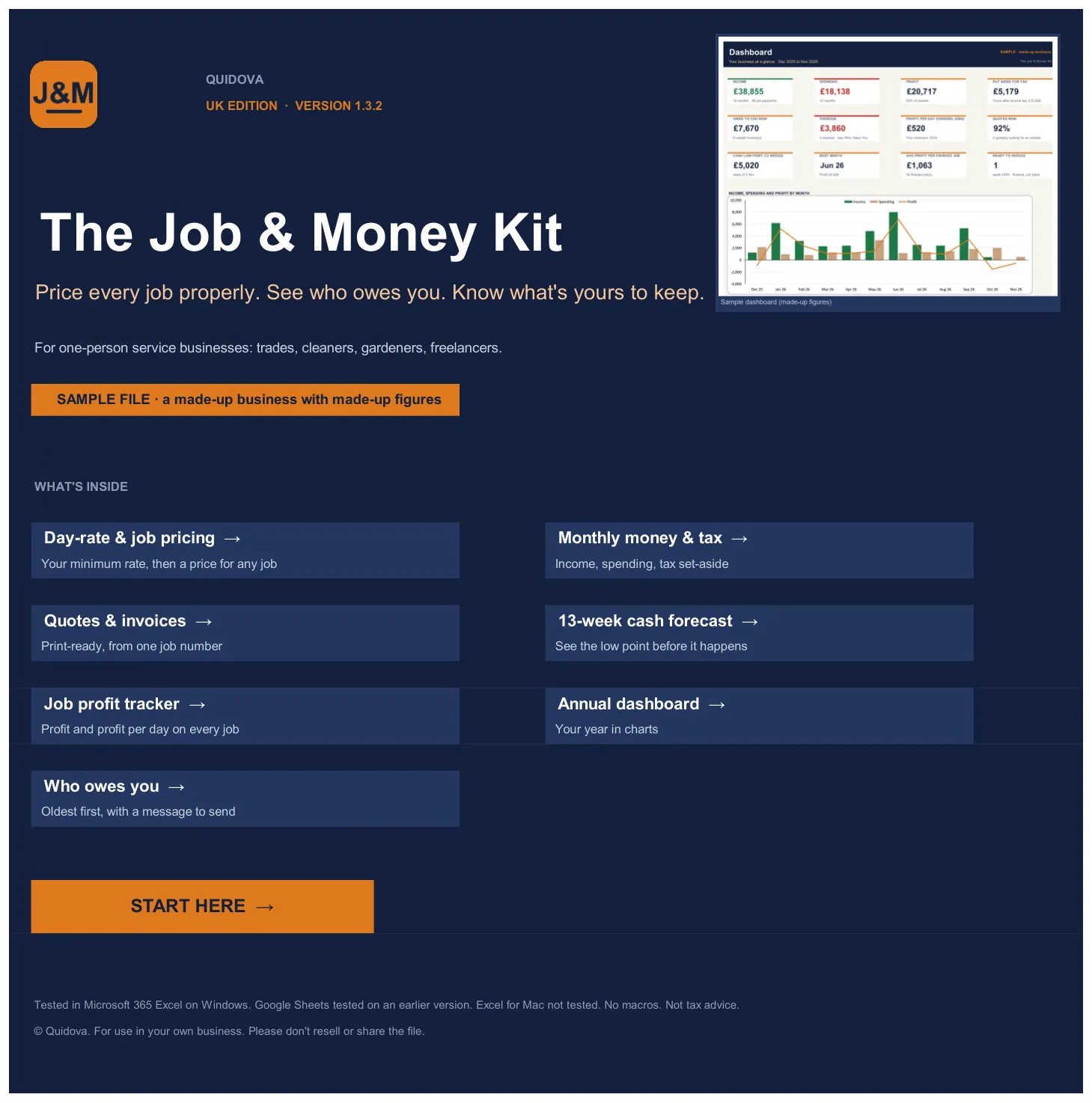
Cover
Links to every tool and a Start Here button.
- Tab 2
Start here
8 guided steps, each with a "Go to" link and a Done / Not yet box.
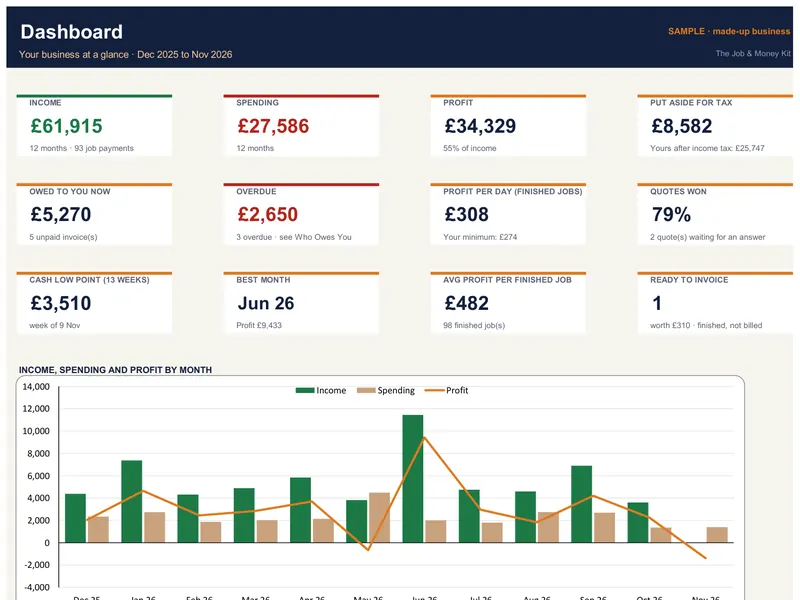 Tab 3
Dashboard
12 tiles, 3 charts and your 5 oldest unpaid invoices: your year at a glance.
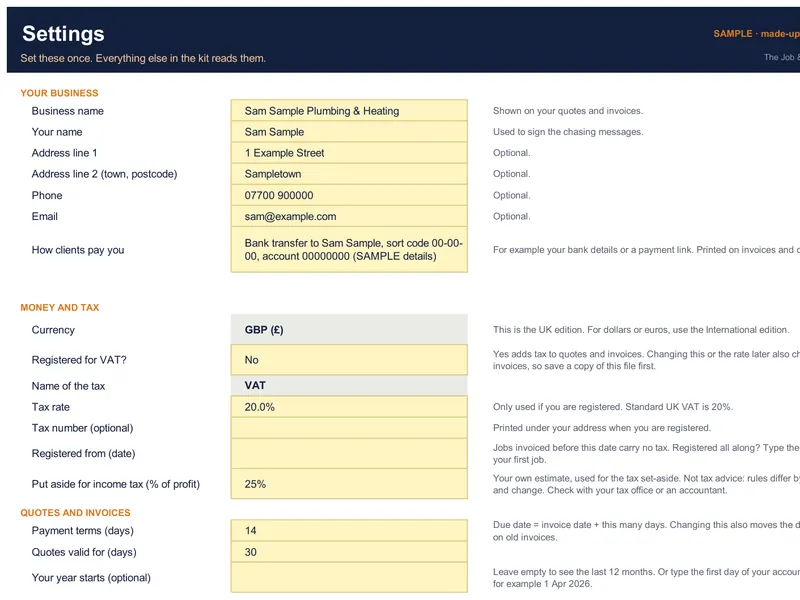 Tab 4
Settings
Your details, how clients pay, tax yes/no and rate, your set-aside %, payment terms.
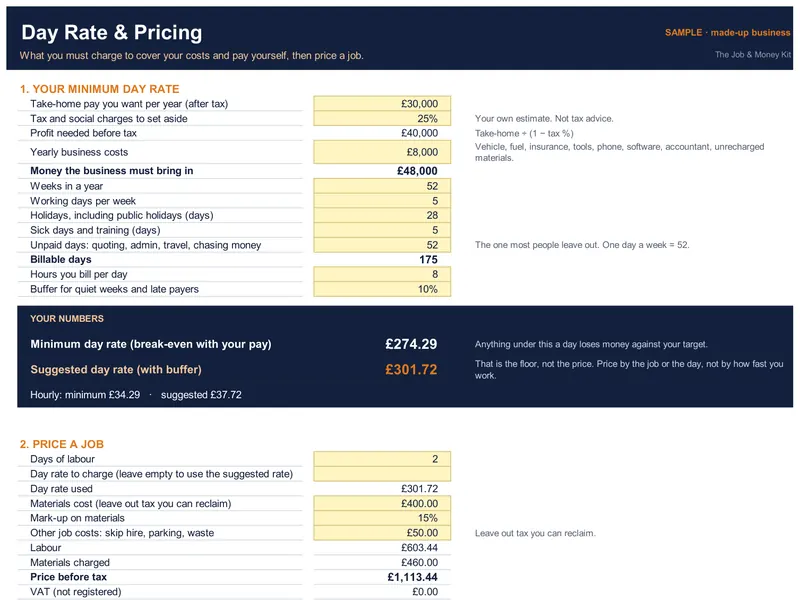 Tab 5
Day rate & pricing
Your minimum day rate from your own costs, then price any job and see its profit per day.
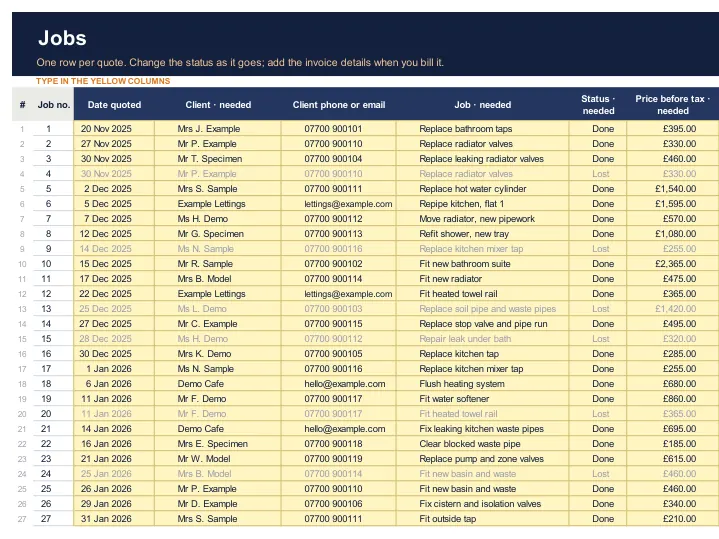 Tab 6
Job profit tracker
One row per quote, room for 300. Profit, profit per day, due date and days late worked out for you.
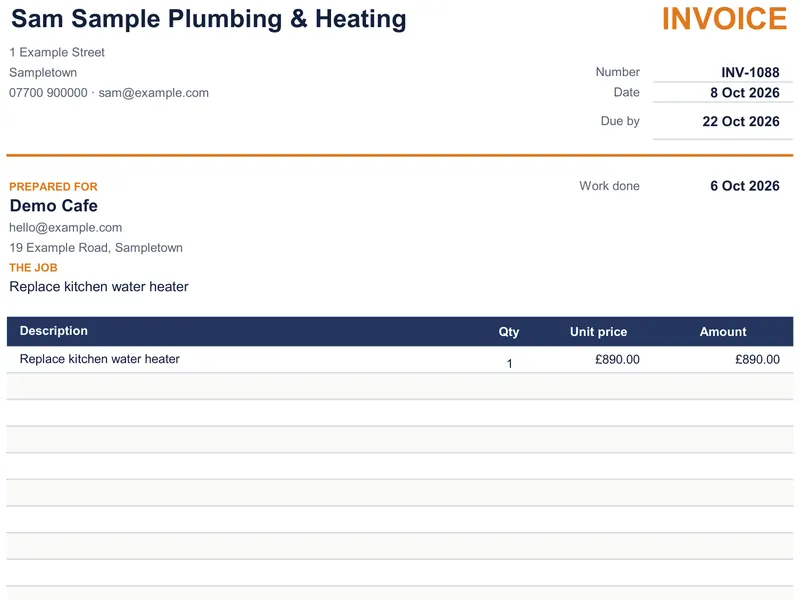 Tab 7
Quote & invoice
Pick Quote or Invoice and a job number. Print a clean A4 page or save it as a PDF.
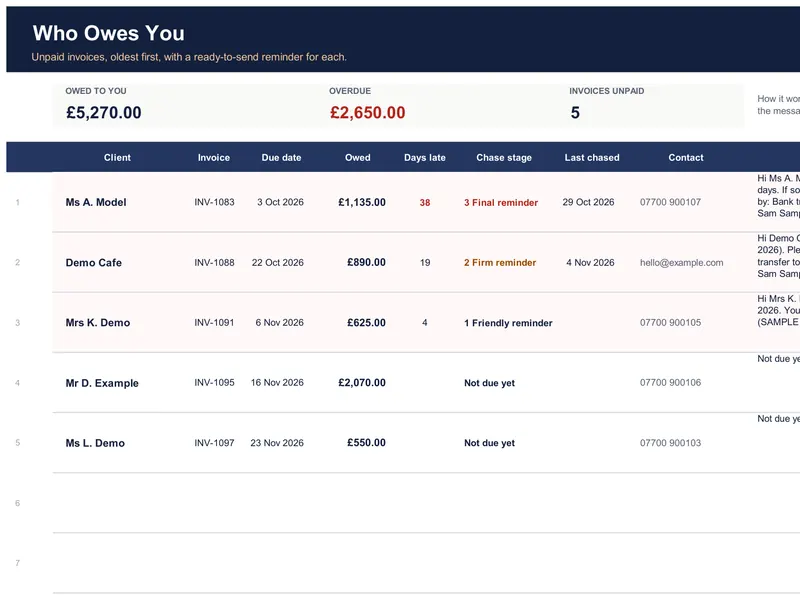 Tab 8
Who owes you
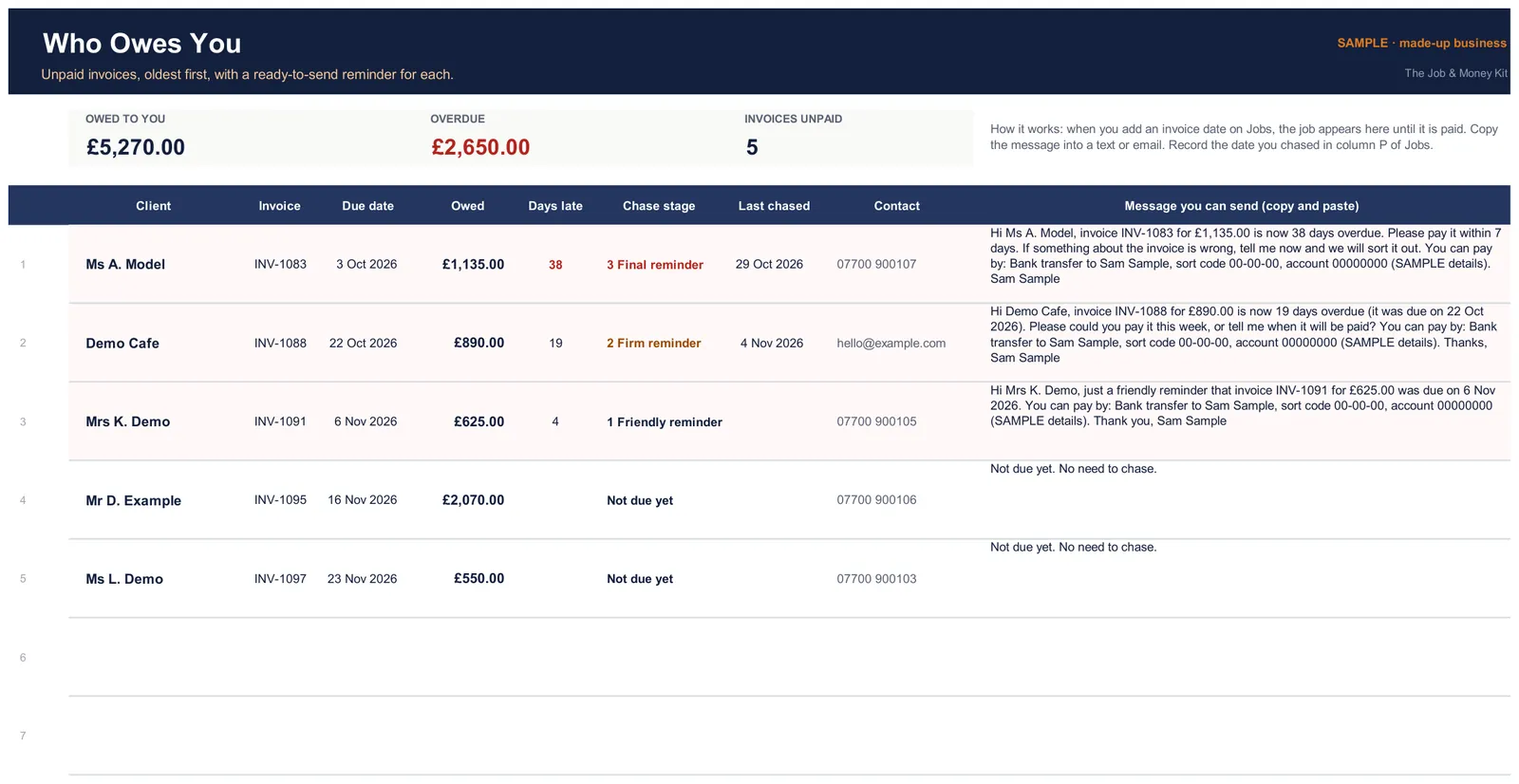
Unpaid invoices, oldest first, with a friendly, firm or final message ready to copy.
 Tab 9
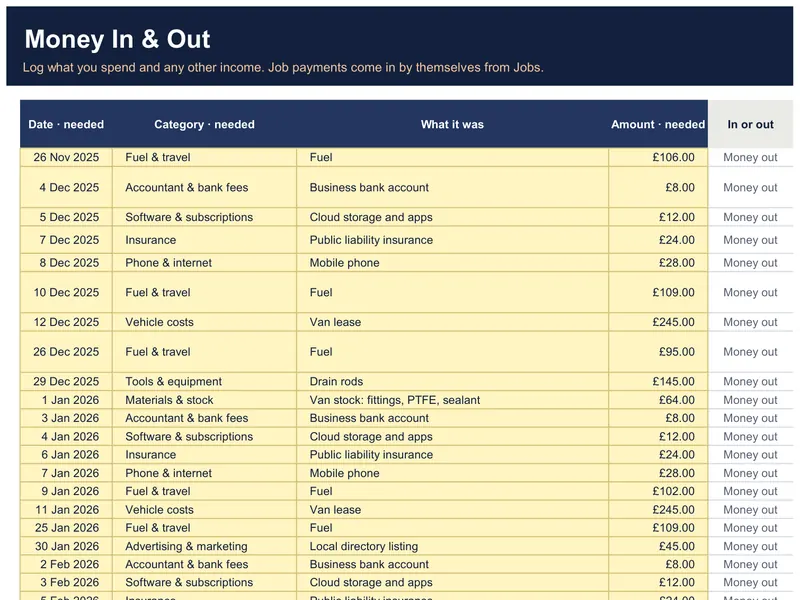
Money in & out
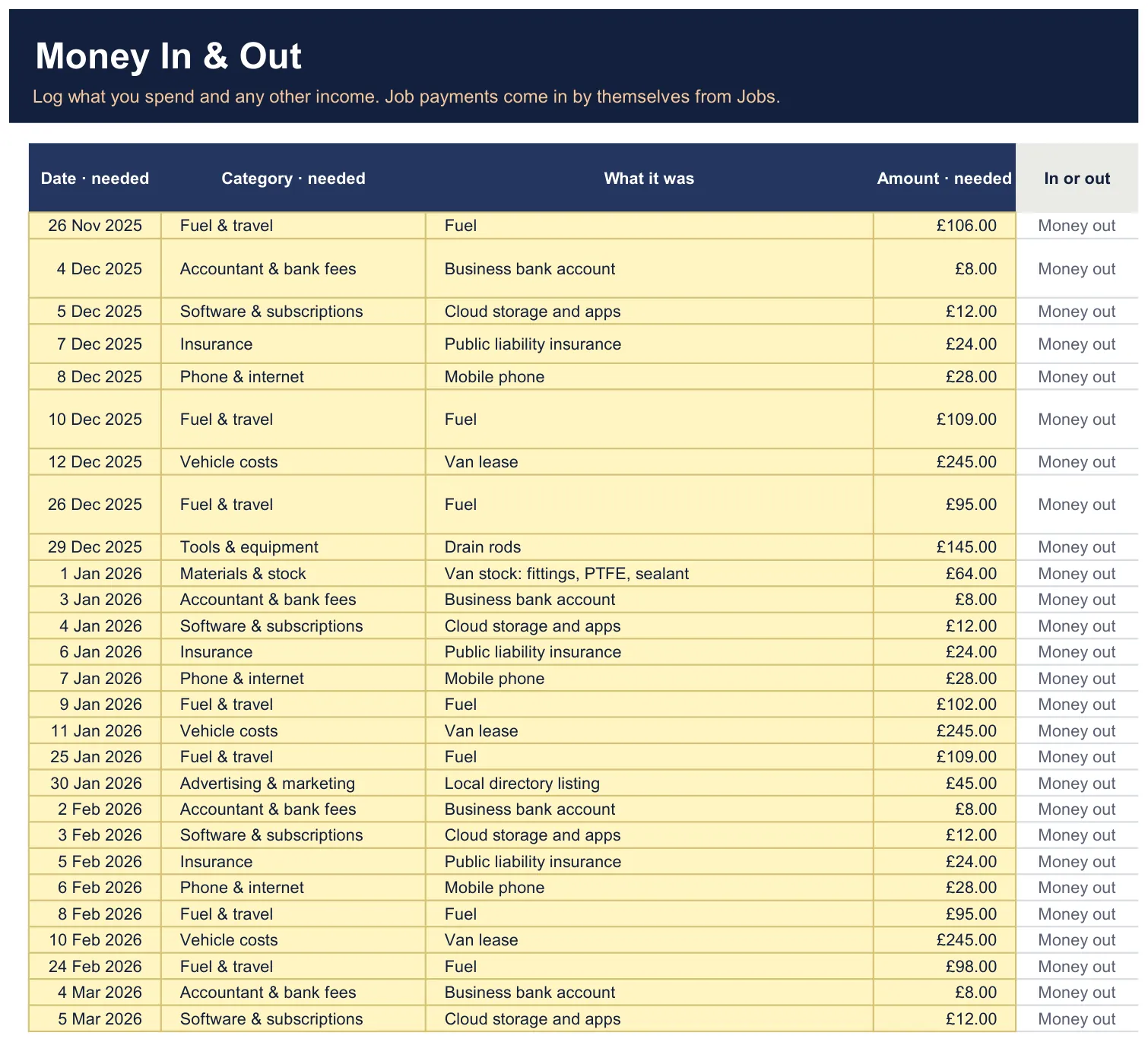
Log spending and other income (1,000 rows, 11 categories). Job payments come across from the Jobs tab.
 Tab 10
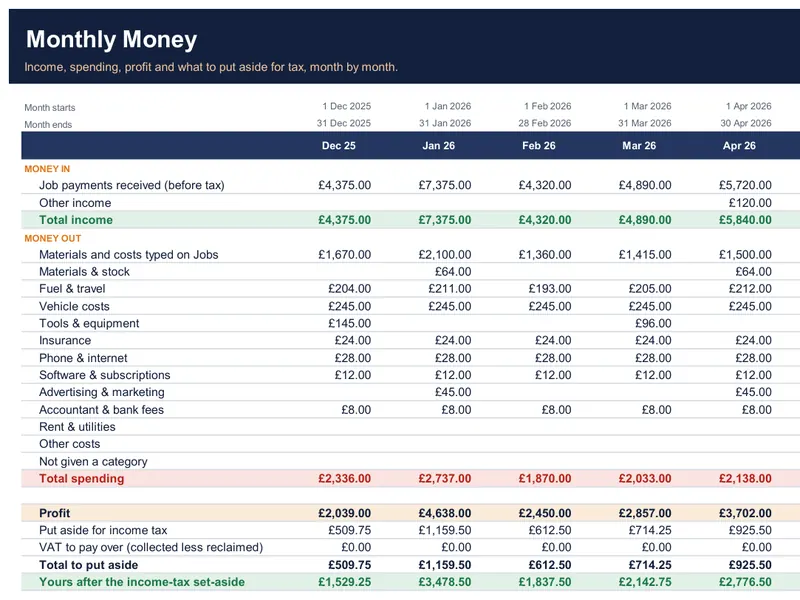
Monthly money & tax
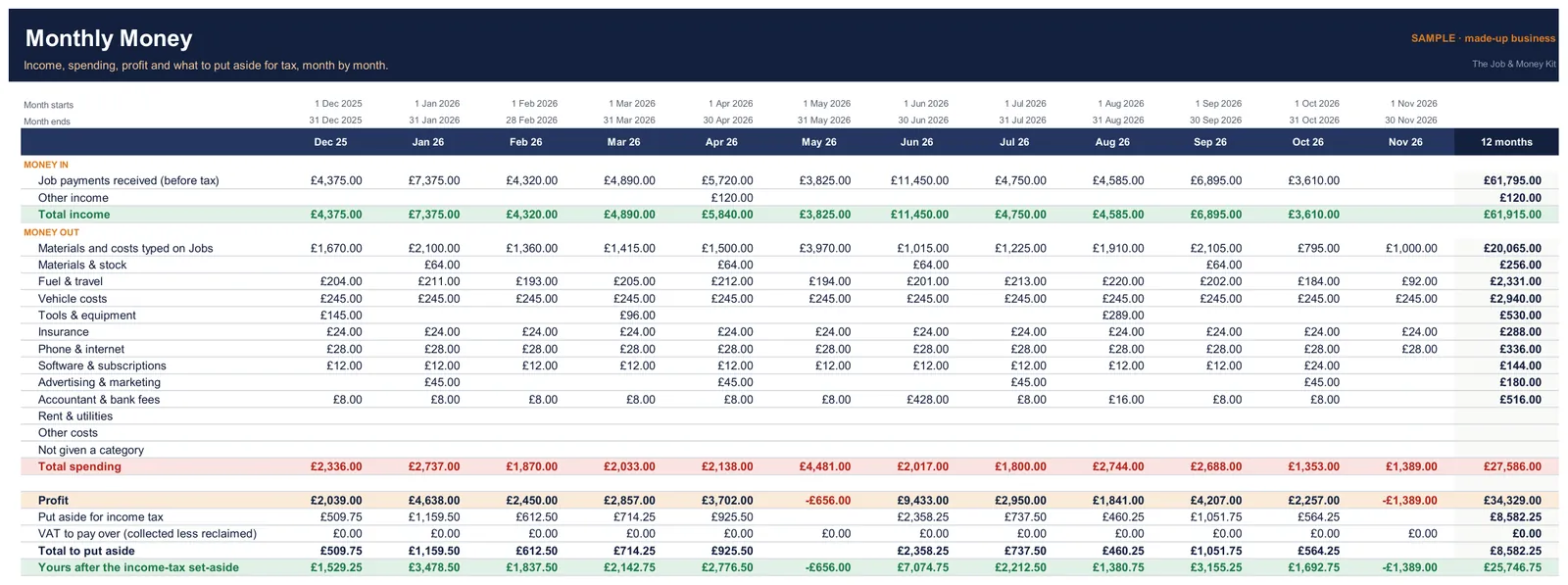
12 months by category, profit, your tax set-aside and what's yours after it.
 Tab 11
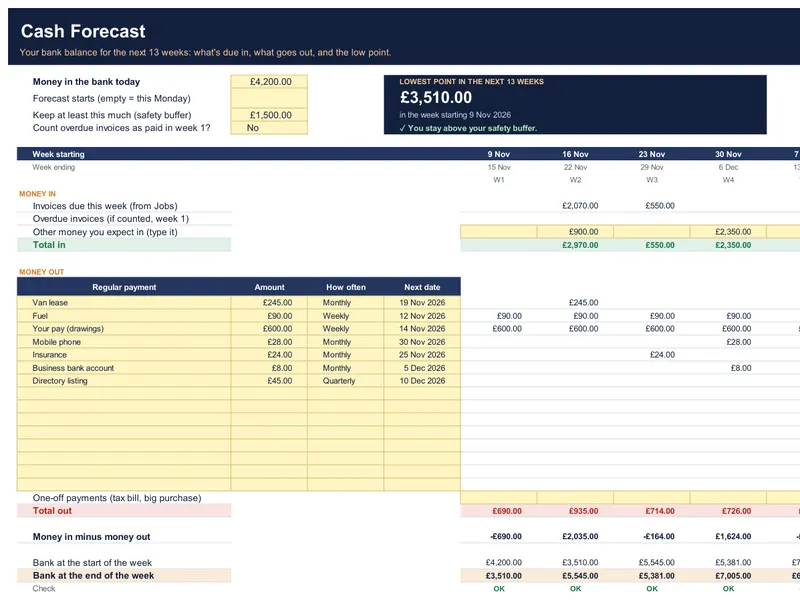
13-week cash forecast
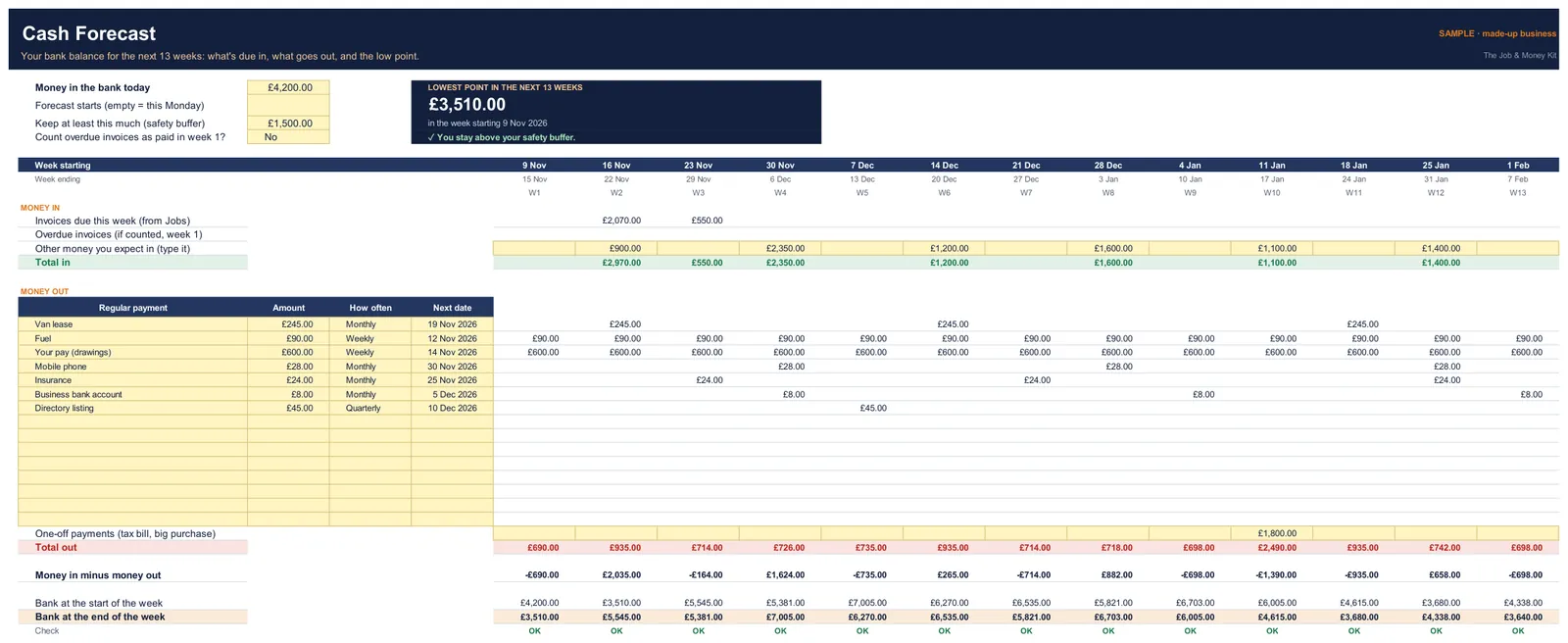
Invoices due, regular payments and your weekly balance, with a warning before a low point.
- Tab 12
Lists
The drop-down lists and helper values behind the other tabs, locked so they can't be typed over. Every sheet is protected without a password, so nothing is locked away from you.
Two editions: UK and International
UK and International editions, both in one download
UK edition
Pounds (£) and VAT, with the rate you type (20% filled in). UK wording on quotes, invoices and reminders.
- GBP £
International edition
Pick your currency, and type your own tax name (Sales tax, GST, HST or VAT) and rate. No UK-only wording.
- USD $
- AUD $
- CAD $
- NZD $
- EUR €
- GBP £
Each edition comes as a filled-in SAMPLE file to look around and a BLANK file for your own figures.
Tested in Excel on Windows. Google Sheets and Mac not tested on this version
- Excel: double-click the file. Tested in Microsoft 365 Excel on Windows.
- Not tested: Tested in Microsoft 365 Excel on Windows, on a laptop or PC. Google Sheets isn't tested on this version. Excel for Mac and versions older than Microsoft 365 haven't been tested yet. Please don't buy it for those.
- No macros, no add-ins, no links to other files. Only standard functions, so nothing to switch on.
- For a laptop or PC. It isn't made for phones.
Quick-start guide · 11 pages
Set up in eight short steps, with a screenshot for each
A PDF for each edition. It shows which file to open first, then walks you through one tab at a time.
- Settings: your details, how clients pay you, tax yes/no and your set-aside %.
- Day Rate: know your number, then check any quote before you send it.
- Jobs: one row per quote; add the invoice and payment when they happen.
- Quote & Invoice: pick a job number, print or save as PDF.
- Who Owes You: copy the ready-written message; it gets firmer as an invoice gets later.
- Money In & Out, and Monthly: log what you spend; see what to put aside.
- Cash Forecast: today's bank balance and regular payments; see the low point coming.
- Dashboard: your year at a glance, against your minimum day rate.
The Job & Money Kit · everything above
You need your own Microsoft 365 Excel on Windows. Charged in pounds (GBP). If you pay in another currency, your bank converts it.
- UK and International editions (USD, AUD, CAD, NZD, EUR, GBP)
- A SAMPLE file and a BLANK file in each
- The 11-page quick-start guide for each edition
- Excel on Windows · no macros
- Room for 300 jobs and 1,000 money entries
Opens Payhip's secure checkout · £24 once · 14-day refund
Try it for 14 days. If you don't want it, email us and get every penny back. No questions.
And for 30 days: if it doesn't do what this page says, full refund.
Your legal rights stay on top of this. Refund terms
Instant download from Payhip after you pay: one zip with both editions and both guides. Your receipt email has the link too.
The Complete Bundle · the kit + 3 bonuses
- Everything in the kit, both editions
- Get-Paid Message Pack: 30 ready-to-copy messages for WhatsApp, text and email, from following up a quote to the final reminder
- Price List & Rate Card: type your prices in the yellow boxes and print a one-page price list (Excel on Windows)
- Year-End & Tax Set-Aside Checklist: what to keep and when, with the gov.uk page for every UK date
Opens Payhip's secure checkout · £34 once · 14-day refund
Same refund promise: 14 days, no questions, or 30 days if it doesn't do what this page says. One zip with the kit, both editions, both guides and all 3 bonuses.
Done-For-You Setup + Cashflow Audit
- The Complete Bundle, set up with your business name, contact and payment details
- Your current jobs and unpaid invoices typed in for you (a photo of your notebook is fine)
- Three chaser messages written in your tone: polite, firm, final
- A written cashflow check: what you're owed, the oldest five, who to chase this week
- Ready in 3 working days, one round of changes
Opens Payhip's secure checkout · £97 once
After you pay, we email a short form for your details. Your customers' names are used only to build your file and are deleted 30 days after delivery.
Sold by Quidova, United Kingdom. Email hello.quidova@outlook.com. Seller details & terms
Your legal right to cancel: the law gives you 14 days to cancel an online order. This is an instant download, so you give that right up when you tick the box at checkout to download straight away. Our refund promise still applies.
Questions
I'm not a spreadsheet person. Will I manage?
You only type in the yellow boxes; everything else is worked out for you. The SAMPLE file shows every tab filled in, and the Start here tab and the guide take you through one step at a time. Sheets are locked without a password, so typing can't overwrite a sum, and nothing is locked away from you. Don't use Cut on a yellow box: if figures turn into errors, press Undo.
Which edition do I get?
Both, in one download. Use the UK edition if you work in pounds and VAT; use the International edition to pick USD, AUD, CAD, NZD, EUR or GBP and your own tax name and rate.
I'm VAT registered. Does it work for me?
Yes, as a guide, if you use standard-rate VAT. It adds VAT to your quotes and invoices. You type the VAT on your costs, so it isn't counted as a cost and it comes off your VAT to pay. Months can differ from your VAT return, so it doesn't replace one. It doesn't do the Flat Rate Scheme, reverse charge or CIS.
Does it work in Google Sheets? On a Mac?
Tested in Microsoft 365 Excel on Windows, on a laptop or PC. Google Sheets isn't tested on this version. Excel for Mac and versions older than Microsoft 365 haven't been tested yet. Please don't buy it for those.
Is it tax or Making Tax Digital software?
No. It doesn't send anything to HMRC or any tax office. The tax set-aside is your own estimate of what to keep back, not tax advice. Check whether you need Making Tax Digital on gov.uk.
Are the chasing messages legal letters?
No. They're polite, ready-written reminders (friendly, then firm, then final) with the amount, due date and how to pay. Suggestions, not legal advice.
How much does it hold?
300 jobs and 1,000 money entries. Start a fresh copy of the BLANK file each year. Who Owes You lists the 25 oldest unpaid invoices, and a job paid in several parts counts in the month of its last payment.
Is it a subscription?
Not with us. You pay Quidova once (£24) and nothing renews with us. The Kit runs in your own Microsoft 365 Excel on Windows, which Microsoft sells separately and is usually a subscription.
How do I get it?
Pay by card through Payhip and you get the download straight away: one zip with both editions and both guides. Unzip it first (right-click, then Extract All), then open the files. The link is in your receipt email too. Can't find it? Email hello.quidova@outlook.com.
What is the refund promise?
Changed your mind? Full refund within 14 days for any reason, or within 30 days if it doesn't do what this page says. This is on top of your legal rights and does not reduce them.
The one exception is the legal 14-day right to cancel. This is an instant download, so you give that right up when you tick the box at checkout to download straight away. Our refund promise still applies.
Can I share it with someone else?
It's for use in your own business. Please don't resell or share the files.
See who owes you before you pay for the next job's parts.
Six money tools in one spreadsheet kit. Excel on Windows. £24 once.
Opens Payhip's secure checkout
Charged in pounds (GBP); your bank converts it.
14-day no-questions refund · pay once, keep it · how refunds work